
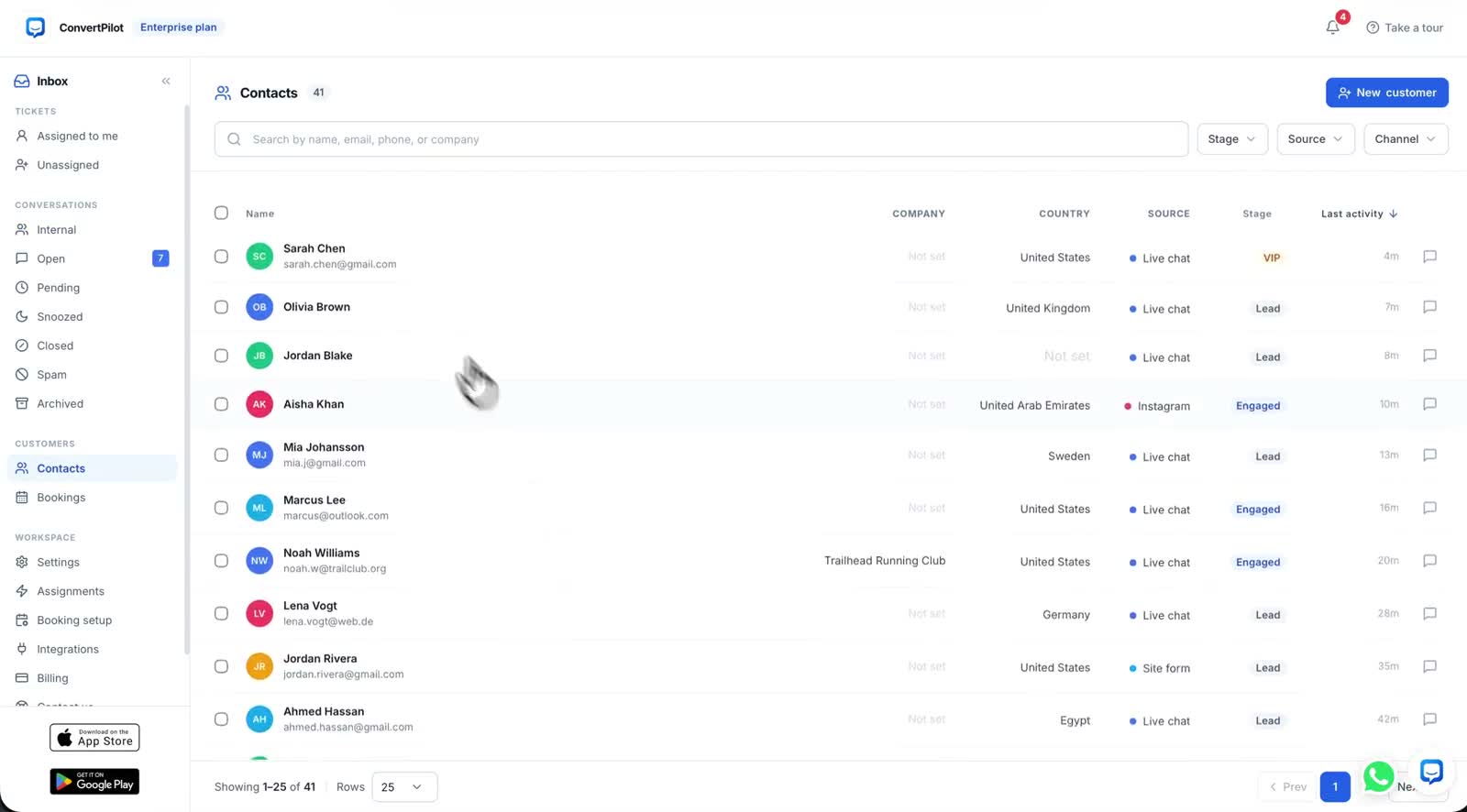
AI tagging labels the intent behind a customer message while the conversation is happening, and writes that label onto the contact. Price objection, high purchase intent, shipping question, sizing and fit: those are the kinds of thing the agent recognises, and they are the kinds of thing your marketing tools can act on. The value is not the tag itself. It is that a question asked in a chat at nine at night becomes a property on a Klaviyo profile or a HubSpot contact without anyone typing it in.
This post covers what actually gets tagged, what each connected tool does with it, which plan the sync needs, and the things a tag will not tell you. If you have not set the agent up yet, start with training an AI agent for your store, because a tag is only as good as the conversation it came from.
What AI tagging actually tags
The agent tags intent, not sentiment and not a category you invented. A message that says the price feels high is a price objection. A message asking whether a jacket runs small is sizing and fit. Someone asking when an order will arrive is a shipping question. Someone comparing two products and asking which is in stock in their size is showing high purchase intent. The tag is attached as the exchange happens, not batched overnight.
Those tags land on the contact profile alongside everything else the console keeps: orders, labels, notes, memories and custom fields, built up automatically from the conversations rather than filled in by hand. That profile is what the integrations read from.
A tag records what the customer asked about. It does not record whether they were satisfied with the answer, and it should never be read as if it did.
Tags, labels and contact profiles are three different things
These get muddled, and the difference matters when you are building a segment. Labels are yours: you create them and apply them, and lead capture applies one when it collects a name, email or phone. AI tags are the agent’s reading of intent. The contact profile is the record both of them sit on, together with the order history and anything the agent has remembered about that person.
When a tag or a label syncs outward, it arrives in the other tool as a property on a contact. That is the whole mechanism, and it is worth understanding before you build a flow on top of it, because a property is a fact about a person, not an event with a timestamp you can trigger a sequence from in every tool.
What Klaviyo, HubSpot, Mailchimp and Salesforce each receive
The four connections behave slightly differently, and the table below is what each one creates. All four are on the Premium plan, which is $17.99 a month and also carries WhatsApp, Messenger, Instagram and Telegram, 1,000 AI replies per 30 days, 20 team seats and the analytics dashboard. The full list is on the pricing page.
| Integration | What is created | What carries the tag | Plan |
|---|---|---|---|
| Klaviyo | New contacts created in Klaviyo | AI tags synced as profile properties | Premium |
| HubSpot | Contacts created and updated in HubSpot | Labels and AI tags as contact properties | Premium |
| Mailchimp | Captured contacts added to the audience you choose | Tags from labels | Premium |
| Salesforce | Leads created with the conversation intent | The conversation intent on the lead | Premium |
Klaviyo is the one most stores ask about, because profile properties are what its segments are built from. A price objection property on a profile is a segment you can hold back from a full-price campaign. A sizing and fit property is a segment that might want the fit guide rather than the new arrivals email. The connection is set up from Settings, Integrations, Klaviyo, Connect, then signing in to Klaviyo and approving it. The Klaviyo integration page has the detail.
HubSpot is the same idea aimed at a sales team rather than a campaign: every lead the agent captures becomes a contact, with the labels and AI tags as contact properties, so whoever picks up the phone can see what the person asked about before they call. Setup is Settings, Integrations, HubSpot, Connect, then approving the app in HubSpot. See the HubSpot integration page.
What a tag will not tell you
Be clear about the limits before you build anything important on top of the tags. The agent tags the intent it recognises in the message. It does not judge whether the answer solved the problem, it does not score the customer, and it does not infer a reason the customer did not state. If someone asks about shipping and then leaves, you have a shipping question tag and nothing else; reading that as an abandoned order is your inference, not the product’s.
- It is not sentiment. A price objection is a subject, not a mood. Someone can raise price cheerfully and buy anyway.
- It is not a conversion signal. High purchase intent means the message read that way, not that an order followed.
- It is not a replacement for reading the inbox. Tags tell you what is being asked about often; the conversations tell you why.
- It does not backfill. Tagging applies to conversations the agent handles, so a tag tells you nothing about the months before you connected it.
That last point is worth planning around. If you are connecting Klaviyo to build a segment, the segment starts empty and fills as conversations happen. Give it a few weeks of real traffic before you judge whether the tags are describing your customers usefully.
Setting it up, and what to do in the first month
The connection itself is short. The useful work is deciding what you will do with the tags once they arrive, and that is easier to answer after you have seen which ones actually appear for your store.
- Connect the tool. Settings, Integrations, then the tool you want, then Connect and approve it on their side.
- Leave it alone for two or three weeks. Let real conversations produce real tags before you build a segment on a guess.
- Look at which tags dominate. If sizing and fit is the most common tag on your store, that is a product page problem worth fixing, not just a segment worth mailing.
- Build one segment, not six. Start with the tag you have a genuine plan for, and see whether the flow performs before adding more.
- Check the contact profiles. Open a few contacts in the console and confirm the tags match what the conversation actually said.
Step three is the one most stores skip and the one that pays. A tag that keeps appearing is a question your site is not answering. Sending an email about it is the smaller fix; putting the answer on the product page, or into the Knowledge base so the agent answers it better next time, is the larger one. The rest of what the agent does with contacts and conversations is on the features page.
If you are on Shopify, note that tagging also works in the other direction: customer tagging and lead capture write into your Shopify customers, so the tag is available where you already segment. That is covered on the Shopify page.