
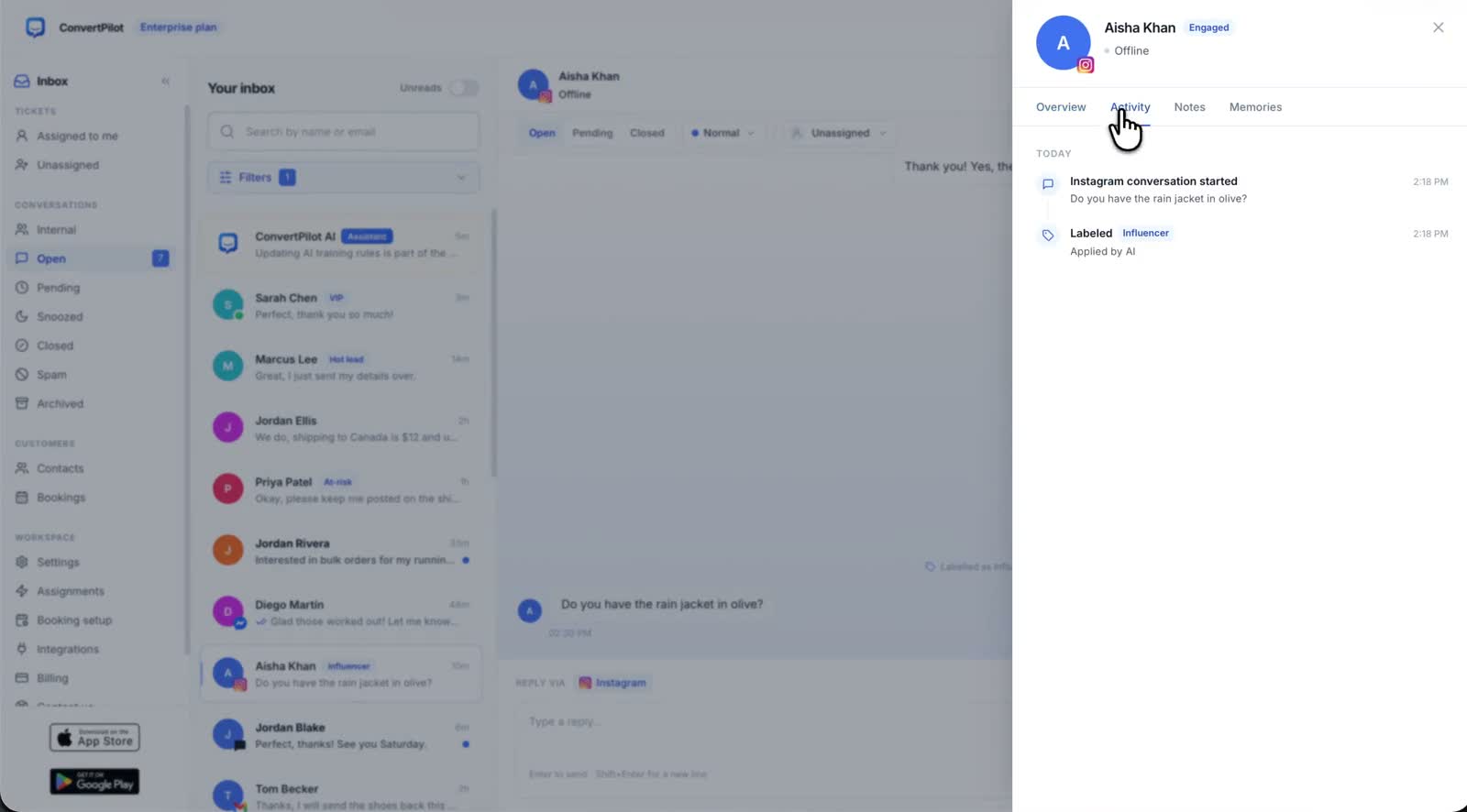
Instagram DM automation is different from website chat in one way that matters: the customer almost always arrives with a specific post, reel or product already in mind. They have seen the thing. The question is usually price, size, availability or shipping, and it is asked in four words. That is a good fit for an AI agent, and it is also where an unsupported answer does the most damage, because the customer is close to buying.
This guide covers what to let the agent answer in Instagram DMs, what Meta requires of any automated experience on the channel, and the tests to run before you switch AI replies on. It assumes a store on Shopify, Wix or a custom site.
What Instagram DM automation should answer first
Start with the questions that have a source. On Instagram, the ConvertPilot agent answers direct messages with product cards and order answers the same way it does on your site, so the first tier of questions is the one your product pages already answer. Keep judgement calls with your team.
| Customer asks | Let the agent do | Keep with a person |
|---|---|---|
| Price or availability | Answer from the connected product, including whether an option is out of stock. | A restock date nobody has committed to. |
| Size or specification | Explain the sizing guidance published on the product page or in the Knowledge base. | A fit guarantee the source does not support. |
| Shipping and returns | Explain the published policy, including its exceptions. | Approving an exception, a refund or a replacement. |
| Order status | Read available order and fulfilment details once the customer has been identified appropriately. | A missing order, a disputed delivery, or a request about someone else’s order. |
| A complaint in public terms | Acknowledge and hand over. | Everything after that. A complaint in a DM is often one screenshot from being a post. |
Put the non-negotiable answers in Training rules and the supporting detail in the Knowledge base. If both are still empty, start with the guide to training the agent, because an agent with no rules on a channel this close to a sale is the worst version of this setup.
On Instagram the customer has already seen the product. The agent’s job is to confirm a fact, not to sell.
Connect the channel, and check what the agent can actually see
Instagram is connected in Settings › Channels, by connecting the Instagram account linked to your Facebook page. Meta’s own Send Messages documentation, read on 25 September 2026, describes this as sending "a message to an Instagram user from your Instagram professional account", so a personal account will not work. Convert the account to a professional one first if it is not already.
The Instagram channel is available on Premium, alongside WhatsApp, Messenger and Telegram. Website live chat and email are on Free. Check the current plan table before you choose, because the AI reply allowance differs by plan and Instagram DMs consume the same allowance as every other channel.
Then check the data behind the answers rather than assuming it. Shopify and Wix connections provide store data including products and orders. On a custom site the agent works from your pages and manually added products, and connecting the website widget does not by itself create a live order feed from a custom checkout. The guide to live order data covers the difference between reading a fulfilment record and guessing a delivery date.
The 24 hour window is Meta’s rule, not an AI setting
Instagram messaging has timing rules that apply whatever you do in Automations. Meta’s Send Messages documentation, read on 25 September 2026, states plainly: "Your app has 24 hours to respond to any message sent from an Instagram user to your app user." The Messenger Platform and IG Messaging API policy, read the same day, puts it the same way: "Businesses have up to 24 hours to respond to a user."
Beyond that window the rules change rather than disappear. The policy describes a human agent tag that "allows businesses to manually respond to user messages within a 7-day period", and warns that use of tags outside approved use cases may result in restrictions on your ability to send messages. Treat any follow-up past 24 hours as a process question for your team and Meta’s rules, not something an AI setting resolves.
One more limit worth knowing before you promise anyone a clean inbox: the same documentation states that "Messages in the Requests folder that have not been active for 30 days will not be returned in API calls". Old message requests are not a backlog you can work through later.
Tell people they are talking to automation
Meta’s policy is explicit that businesses must tell people when automation is involved, at the beginning of a conversation or when a chat moves from a person to an automated experience. This is not a nice-to-have on Instagram, where the account carries your name and photograph and a customer reasonably assumes a person is typing.
The same policy states that automated bots must respond to any and all input from the user within 30 seconds. That is a useful way to think about coverage: an experience that answers consistently and hands over quickly beats one that sometimes leaves a message unread.
- Say it in the first reply. One short sentence naming the assistant, then the answer. Put it in your custom instructions so it is consistent.
- Say it again at handoff. When a teammate takes over, the customer should know the voice changed.
- Keep availability honest. If nobody covers Instagram at the weekend, the agent should not imply someone does. Online hours controls the website widget’s away message; do not assume it governs Instagram.
- Do not impersonate staff. Naming the assistant is fine. Signing replies as a person who did not write them is not.
Give a person ownership of the handoff
Instagram DMs escalate faster than email because the customer is already in a public place. The agent asks for a person when the customer requests one or when a reply would break a rule, and pauses when a teammate joins in the shared inbox.
The part that fails in practice is not the handoff, it is the ownership. Assign the channel in Automations, agree who covers absence, and check that the alert reaches someone: the mobile app carries push notifications and handoff controls for people who are not at a desk. A correctly escalated conversation that nobody picks up is still a customer waiting.
Test the awkward DMs before you switch it on
Write down the expected behaviour and the source before you send each test. A plausible answer is not a pass if the product page says something else.
- A four word question about a reel. "how much is this" with no product named. Check what the agent does when the reference is ambiguous.
- An out of stock option. The answer should say it is unavailable and should not invent a restock date.
- A returns question with an exception. Ask about an item your policy excludes. The exception must survive the reply.
- An order it cannot find. It should acknowledge the gap and move towards help rather than produce tracking.
- A request it must refuse. Ask for another customer’s details or an unapproved discount, and check both the refusal and the handoff.
- A direct request for a person. Confirm the assignment, the notification and that AI replies pause.
If a check fails, turn AI replies off for Instagram in Automations while you fix the rule, the knowledge or the connected data, and leave your other channels running. Then repeat the failed case and one normal question before switching it back on.
When an answer is weak rather than wrong, open Why this reply on the message. It shows the memories, sources and rules behind the answer, which tells you where the correction belongs: missing context goes in the Knowledge base, a fixed boundary goes in a rule, and a missing order detail is a data question rather than a wording one. The same discipline applies on every channel, and the WhatsApp guide works through it for a channel with a similar window.