
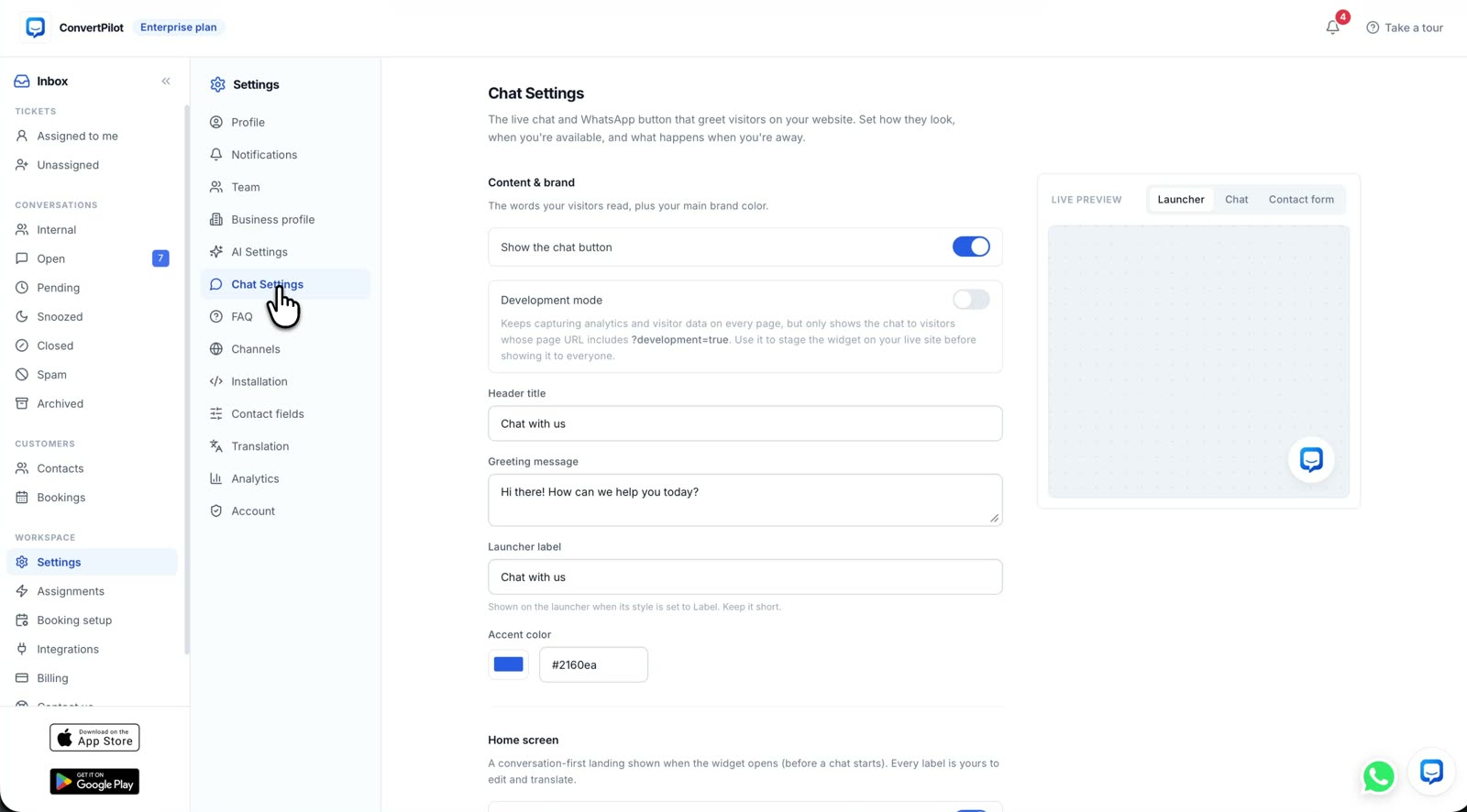
To add an AI chatbot to Wix, choose an app in the Wix App Market, review the access it requests, complete its dashboard setup, and test the published widget as a customer would. A visible chat button is only the first check. If you run a Wix store, the useful question is whether the agent can answer from your actual products, policies and recent orders, then pass a case to your team when it needs judgement. This guide uses ConvertPilot for the installation and test steps.
Wix offers its own option too. Wix says its older AI Site Chat stopped accepting new installations in March 2026; new sites can install Wix Smart Chat. That distinction matters because older tutorials still point to the retired app. ConvertPilot is a separate Wix app with an AI agent, a shared inbox and store data in the conversation. Compare the work each app must do for your business before choosing.
Which Wix AI chatbot should you install?
Wix Smart Chat supports manual replies, AI replies, or a mix. Wix documents training, testing and a publish step for the widget. If you already use Wix AI Site Chat, Wix says the existing installation keeps working. ConvertPilot is suited to a business that wants the same agent and inbox on Wix and on other channels, with product and order answers from the connected store. Its Wix page shows the connection, and the features page shows Training, Why this reply and handoff.
| Decision | Ask before installing | Test after installing |
|---|---|---|
| Answers | Will the agent read site pages only, or also live products and orders? | Ask about a sold-out item and a recent order you can check. |
| Control | Can you set a rule and see what informed each reply? | Ask about a policy exception and inspect the source and rule. |
| People | Where does a request for a person go? | Request a person from the published site and check the team inbox. |
| Channels | Do customers also write through social messaging? | Check which plan includes each channel before relying on it. |
An installation guide that ends when the widget appears misses these decisions. A visitor who asks for a parcel update needs an answer from an order record, or a clear handoff. A fluent guess is worse than a short request for the order number.
How do you add the ConvertPilot AI chatbot to Wix?
Open the ConvertPilot Wix page and follow its App Market link. The Wix integration described in our product catalogue uses the Wix app to inject the widget, so you do not paste a second script into the editor. Read the Wix approval screen before selecting Agree and Add. It is the source for the access your particular installation requests.
- Choose the Wix site. Open the App Market listing from the Wix page and check you are installing into the correct site, especially if you manage several.
- Review access. Read the permissions Wix presents and the connected store data you expect the agent to use. Approve only when the requested access fits that job.
- Finish onboarding. Open the app from your Wix dashboard and complete the onboarding wizard. Confirm the site connection and the workspace you intend to use.
- Check the published site. Open a product page in a private window on a phone and a desktop. Verify there is one chat launcher and that a message reaches the ConvertPilot inbox.
- Set the operating rules. Add your answers and policies in Training, set Online hours and choose who receives a handoff before switching the agent on for visitors.
The Wix integration page describes how the app brings products, orders and store data into ConvertPilot. Its setup path is App Market, Agree and Add, then the dashboard wizard. If the widget does not appear, check the Wix site and app installation first. Adding custom code at the same time risks two launchers and two separate conversations.
What should the agent know before it answers shoppers?
A product catalogue can tell the agent an item name and price. It cannot settle a return exception or promise when an unfulfilled order will arrive. Start by reading your public delivery, returns, sizing and contact pages as a buyer. Correct any page that is out of date. Then put stable facts and firm boundaries into Training: what counts as a return, when the customer must provide an order number, and when a teammate must decide.
ConvertPilot reads site pages and, on a connected Wix store, products and recent orders. It also uses the answers, facts and custom instructions you add. Each AI message has Why this reply, which shows the sources and rules it used. That trace helps you fix the right source when a reply is wrong. The store Training guide gives a first list of rules and knowledge to write down.
Launch after you can verify an answer against your store data and route an uncertain case to a real person.
How do you test Wix product and order answers?
Use questions whose answers you already know. Test a product with a current price, a sold-out variant, a recently fulfilled order and an order that has not been fulfilled. Compare the reply with Wix, then open Why this reply in the inbox. If the agent has no matching order, it should ask for the details needed by a person rather than inventing a tracking event or delivery date.
- Catalogue test. The product card, availability and variant match the live store record. If the product is sold out, the agent does not imply it can ship.
- Order test. The fulfilment state and tracking, when present, match the connected order. An older or unmatched order goes to a person.
- Policy test. A standard return question follows the published policy. An exception triggers the handoff boundary you wrote.
- Source test. Why this reply names the expected page, product, order or Training entry. If it points to stale text, update that text and ask again.
- Device test. The launcher, product card and handoff prompt work in the published mobile view, where a customer will actually use them.
The order status guide walks through why a fulfilment state is safer than a predicted arrival. One good test for an agent is whether it admits an order is outside the data it can read. That is more trustworthy than a confident answer with no source.
When should a person take over the chat?
A customer asking for a person should get one. The same applies to a complaint, an unmatched order, a refund exception or a question that needs judgement. In ConvertPilot, the agent pauses when a teammate joins a conversation, and the history remains in the shared inbox. Assign a named teammate, set Online hours in your time zone and send a test handoff while the team is offline as well as when it is online.
Outside Online hours, the widget shows your away message while the agent can still answer what it knows. Tell the visitor when a person can follow up; do not present an unattended queue as live support. The human handoff guide covers how to test the waiting experience, not just the button. The mobile app page shows how teammates can receive and answer conversations away from a desk.
Which ConvertPilot plan fits a Wix site?
The Wix store connection and website live chat are not gated behind a higher plan in the product catalogue. Free includes the agent, Training and five team seats, but it has a lifetime allowance of 50 incoming customer messages and a separate AI reply allowance. A busy site should plan for that boundary before putting the widget on every page. The Free plan guide explains the two counters, and the current pricing page is the authority for allowances and billing.
WhatsApp, Messenger, Instagram and Telegram, plus the analytics dashboard and the listed CRM integrations, are on Premium and above. If your Wix site also needs HubSpot, the HubSpot integration page describes captured contacts, labels and conversation intent flowing into HubSpot. Do not assume Wix Automations and ConvertPilot share a direct workflow just because both can connect to HubSpot. Decide which system owns each contact update, and test one contact before automating more.
Once the tests pass, use the ConvertPilot Wix install page to add the app, then review the first real conversations in the inbox. Keep the source pages and Training entries current as products and policies change. A useful Wix chatbot should answer the questions a buyer asks before purchasing and bring a person in when a decision belongs to your team.