
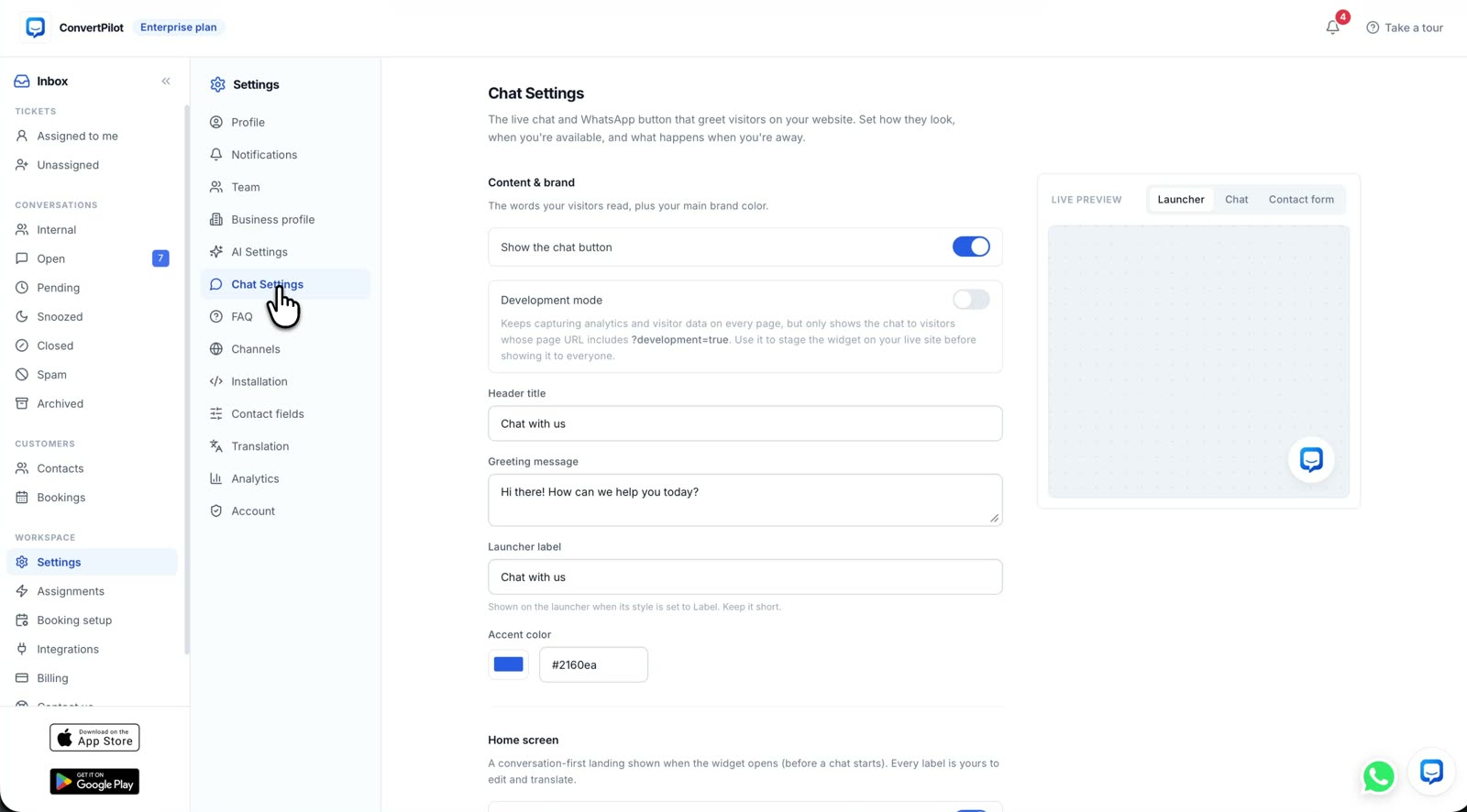
To add an AI chatbot to Shopify, install a chat app from the Shopify App Store, review the access it requests, finish its setup, and confirm the widget appears on your storefront. That gets chat on the site. To let it answer customers safely, you also need current store policies, a few clear rules and a person ready for the questions it cannot answer. This guide uses ConvertPilot as the example and gives you a launch test you can run before shoppers see it.
A Shopify merchant choosing between apps should separate two jobs. One is showing a chat box; the other is answering from the live catalogue and recent orders. ConvertPilot is built for the second job, with a shared inbox when your team needs to take over. The Shopify app page shows what it connects to and links to its App Store listing. Shopify Inbox is another option for chat and instant answers; Shopify describes its own setup. Choose by the customer questions you need answered, not by the widget alone.
How do you add an AI chatbot to Shopify?
Open the ConvertPilot listing from the Shopify install page. Select the store, then read the permissions Shopify displays before you approve the app. Shopify explains that its install screen identifies personal data and store areas an app may access, with a link to the developer’s privacy policy. The install is not the moment to click past that list: it tells you what the chatbot can read and where a wrong answer could come from.
- Install the app. Open the listing, choose your store and review the Shopify access screen before approval.
- Finish onboarding. Open ConvertPilot from the Shopify admin and confirm the store is connected. The app adds the chat widget and FAQ section without editing your theme code.
- Check the storefront. Open a product page in a private browser window and confirm the launcher appears on desktop and phone. If it does not, inspect the theme’s app settings; Shopify documents app embeds in the theme editor.
- Set the answers. Check your products, policies and the Training entries before you let the agent reply first.
- Test handoff. Send a request that needs a person and confirm it reaches a named teammate in the inbox.
Do not paste a second chat script into your theme after the Shopify app has added the widget. A duplicate launcher makes it harder to know which conversation a customer opened. Keep one installation path and verify it on the published theme, not only in a preview.
What Shopify data does the agent use?
ConvertPilot’s Shopify connection reads products and collections for catalogue answers, customers for contact context and tagging, and orders from the last 60 days for recent status and tracking questions. Those are the uses described on the product’s Shopify page. Shopify shows the requested access before installation. The exact list on your install screen is the one to judge; do not infer access from a marketing screenshot.
| Store data | What it helps answer | What to verify |
|---|---|---|
| Products and collections | Which item is available, and which product card to show | A visible product, a sold-out product and an item with variants |
| Recent orders | Fulfilment state and tracking from orders in the connected window | A fulfilled order, an unfulfilled order and an older order |
| Customer records | Which contact and past conversation belong to a message | A customer writing from a different email address |
| Pages and policies | Returns, delivery, sizing and other written answers | That the source page still says what the store actually does |
An app cannot read an order it was not granted or cannot match to the person asking. For a question outside the connected order window, the right answer is to collect the order number and hand the case to your team. The order-status walkthrough follows the lookup and shows why a fulfilment state is safer than an invented delivery date.
What should you teach the agent before it answers shoppers?
A live catalogue does not explain your exceptions. It knows a shirt’s sizes; it does not decide whether a worn shirt can be returned. Read your returns page, shipping page, size guide and contact page as a customer would. Correct the page first when it is wrong. Then put fixed answers and boundaries into Training: the return window, what condition the item must be in, who pays return shipping, and when a person must approve an exception.
Keep facts and rules distinct. A Knowledge base entry can explain how a product fits or how you pack fragile items. A Training rule should make one answer consistent when the wrong version costs money, such as a refund promise. The store Training guide gives a fuller first list. In ConvertPilot, Why this reply shows the sources and rules behind each AI message, so you can inspect whether the answer came from a product, a policy or something you wrote.
A successful install is a visible widget. A successful launch is a tested answer, a visible source and a reliable path to a person.
How do you test product and order answers before launch?
Use your own store data, with test questions that have a known answer. Ask about an in-stock item and a sold-out variant. Ask for a recommendation within a price or size constraint and check the product card against the catalogue. Ask about a recent fulfilled order and one still unfulfilled. Do not treat a fluent sentence as a pass: compare it with the store record and open Why this reply to see what the agent used.
- Product test. The item, image and price in the card match the current listing. If the variant is sold out, the reply does not imply it can ship.
- Order test. The agent gives the actual fulfilment state and tracking when present. It does not invent a carrier scan or arrival date.
- Policy test. The returns answer matches the published page and the Training rule, including exceptions.
- Identity test. A customer writing from another address is asked for identifying order details instead of receiving someone else’s order history.
- Person test. A request for a refund exception or a human stops the automated reply and reaches a teammate.
If any test fails, fix the source or rule and repeat that question before launch. The features page shows Training, Why this reply and the shared inbox together. Testing one answer from each data source is more informative than sending ten versions of the same greeting.
When should the chatbot hand off to a person?
A person should take over when the customer asks for one, the order cannot be verified, a complaint needs judgement, or the requested refund or discount falls outside your rule. Decide who owns that queue before switching on automated replies. Set Online hours in your time zone so the widget shows an away message when staff are offline; the agent can still answer what it knows. The handoff guide lists the tests to run and what the waiting customer should be told.
In the inbox, a teammate joining pauses the agent for that conversation. The history stays in the thread, so the customer should not have to repeat the order question. Assign a responsible person and check notifications on a real device. A handoff button without someone receiving it is a broken support process, however well the agent answered the earlier messages.
Can you start with the Free plan?
Yes. The Shopify connection and website chat are included on Free. The plan has 50 incoming customer messages for the lifetime of the workspace and a separate allowance of 50 AI replies per rolling 30 days. Those counters are different. Five team seats are included; WhatsApp and Instagram require Premium. Read the current plan table before putting the widget on a busy storefront, because a lifetime message cap is a launch constraint, not a monthly traffic budget.
Once the tests pass, install from the ConvertPilot Shopify page, set one teammate to watch the inbox and review the first real conversations. Check each wrong answer against Why this reply, update the source and test again. If you also run a Wix site, follow the Wix chatbot setup guide for its separate App Market and store connection. The goal is to answer product and order questions while they are still useful to the shopper, with your team present for everything that needs a decision.