An ecommerce product recommendation chatbot asks what a shopper needs, checks the products your store can actually offer, and shows a relevant choice inside the conversation. It should explain why the item fits and admit when the catalogue or policy does not answer the question. If you run a Shopify or Wix store, the useful test is not whether a bot can name a product. It is whether the suggested variant, price, availability and next step match your current store record.
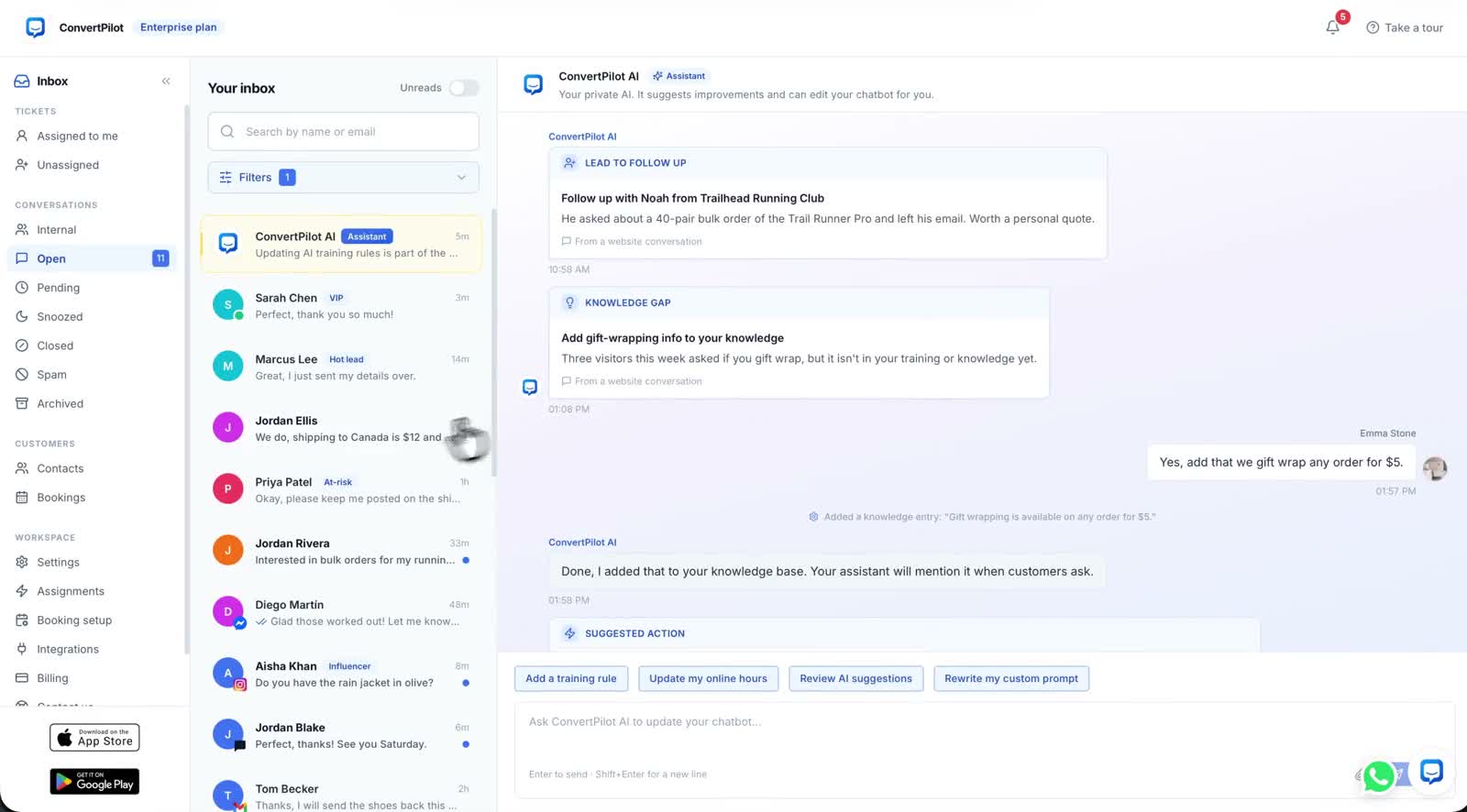
ConvertPilot reads connected Shopify or Wix product data and shows shoppable cards with an image, price and Shop Now button. It can also answer from your pages, product descriptions and the facts and rules you add in Training. A card makes the suggestion easy to act on, but the source still matters. A confident answer about fit that your size guide never makes is a reason to improve the source or involve a person, not a reason to trust the card.
What is an ecommerce product recommendation chatbot?
It is a conversation that narrows a buying question into products a customer can inspect. A shopper might ask for a rain jacket in a particular colour, a gift within a budget, or a size for a specific garment. The agent needs enough detail to search the catalogue and a clear way to ask a follow-up when the request is too broad. The resulting card should point to a product page where the buyer can confirm the final option and checkout details.
This is different from a fixed row of related items beneath a product page. Shopify Search & Discovery lets a merchant configure related and complementary products for supported themes. That is useful for discovery on the page. A chat is useful when the buyer needs to explain a constraint in words, such as “not wool”, “for a narrow fit” or “ready for rain”. You can use both, provided their product data and promises agree.
What data does a product recommendation chatbot need?
Begin with clean product records: names, descriptions, images, current prices, variant options and availability. Shopify’s variant guide explains that price, inventory and shipping settings can belong to each size or colour variant rather than only to the parent product. A reply that names the correct jacket but the wrong size is not a correct recommendation. The buyer should be able to open the product page and find the same option there.
- Catalogue facts. The product and variant exist, are published for the intended channel, and have a current price and image.
- Availability. The recommendation is checked against the store’s saleable stock or its stated continue-selling rule, not a stale page paragraph.
- Fit and use. Materials, dimensions, sizing and care claims come from a product page or an approved Knowledge base entry.
- Store rules. Shipping, returns and discount boundaries belong in the public policy and Training rules, with a person assigned to exceptions.
On Shopify, ConvertPilot reads products and collections from the connected store; on Wix it reads Wix Stores and ecommerce data. On another site it works from your pages and products you add. Its Shopify connection and Wix connection describe those paths. Keep the store record current first. Training cannot make a sold-out variant available, and an attractive answer cannot repair a missing size guide.
How should the chatbot ask and recommend?
Ask only for the missing detail that changes the choice. For a jacket, that may be use, size and budget. For a gift, it may be the recipient’s interests and a price range. Do not force a long quiz when the shopper has already named a product. A useful reply can offer one or two relevant options, explain the distinguishing detail, and present a link to check the final variant. The features page shows ConvertPilot’s product cards beside its grounded answers and Why this reply trace.
| Shopper asks | Evidence to check | Safe next step |
|---|---|---|
| “Do you have this in olive, size M?” | Published variant and current availability | Show the matching product card, or say it is unavailable |
| “Which one fits a narrow foot?” | A size or fit guide that actually covers width | Explain the documented fit, or ask a person if the guide is silent |
| “What can I buy within my budget?” | Current variant prices and product descriptions | Offer relevant cards and let the buyer confirm the final price |
| “Can you promise delivery by Friday?” | Shipping policy and a confirmed carrier option | State the published policy; hand off if a guarantee needs judgement |
ConvertPilot’s Why this reply opens the sources and rules behind an AI answer. If a recommendation seems wrong, inspect whether it used the live product, a stale page or a Training entry. Correct the source, then ask the same question again. The Training guide shows how to write exact answers and limits without burying the agent in vague instructions.
A recommendation passes only when the product card, the explanation and the store record agree.
How do you test a recommendation before launch?
Use products you can verify in your own admin. Pick one item in stock, one sold-out variant, one awkward fit question and one product whose page lacks the information a buyer wants. Test on the published site as a customer, then review the same thread in the inbox. A good answer is specific, checkable and easy to hand over when the record ends.
- Start with a known item. Ask for a colour and size that exist. Compare the card image, price, link and variant with the published product page.
- Try a missing variant. Ask for a sold-out size. The agent should not quietly suggest that same unavailable variant as ready to buy.
- Try a real constraint. Ask a fit or material question. Check whether the answer appears in the product description, size guide or approved knowledge.
- Inspect Why this reply. Find the source and Training rule behind each answer. Correct any stale or missing record, then retest.
- Ask for a person. Request a size recommendation the guide cannot support or a shipping exception. Confirm a teammate sees the full thread.
Do the same checks on a phone. The product card should be readable, its link should open the intended item, and the customer should not have to start again after a handoff. The Shopify setup guide covers installing the widget and testing the published theme; this test focuses on the buying answer itself.
When should a person answer instead?
A person should take over when the buyer asks for one, a size or compatibility question lacks a trustworthy source, an order or stock record does not match, or a promise requires discretion. In ConvertPilot the agent pauses when a teammate joins the thread. The human handoff guide explains how to check assignment, Online hours and the waiting experience. This matters just as much as the recommendation itself: a buyer who cannot reach a person may leave with a wrong assumption.
Do not make the chatbot invent certainty to avoid handoffs. If a page says only “regular fit”, that is not evidence of a precise body measurement. If a carrier scan is missing, the agent should not promise an arrival date. A short answer that states what the store knows, and what a teammate will check, gives the customer a usable next step.
How does ConvertPilot fit on Shopify or Wix?
Install ConvertPilot through the Shopify App Store or Wix App Market for a connected store. Its channels page shows where the same inbox can receive customer questions, while features shows product cards, Training and the source trace. Website live chat and the store connections are available on Free, subject to its message allowance. Social messaging channels have a different plan gate, so check current pricing before deciding where the agent should answer.
Begin with one common product question and one honest no-answer case. Publish the widget only after both routes work: a sourced recommendation when the catalogue supports it and a clear handoff when it does not. That gives shoppers a useful path from a question to a product page, while your team stays responsible for the decisions that need a person.