
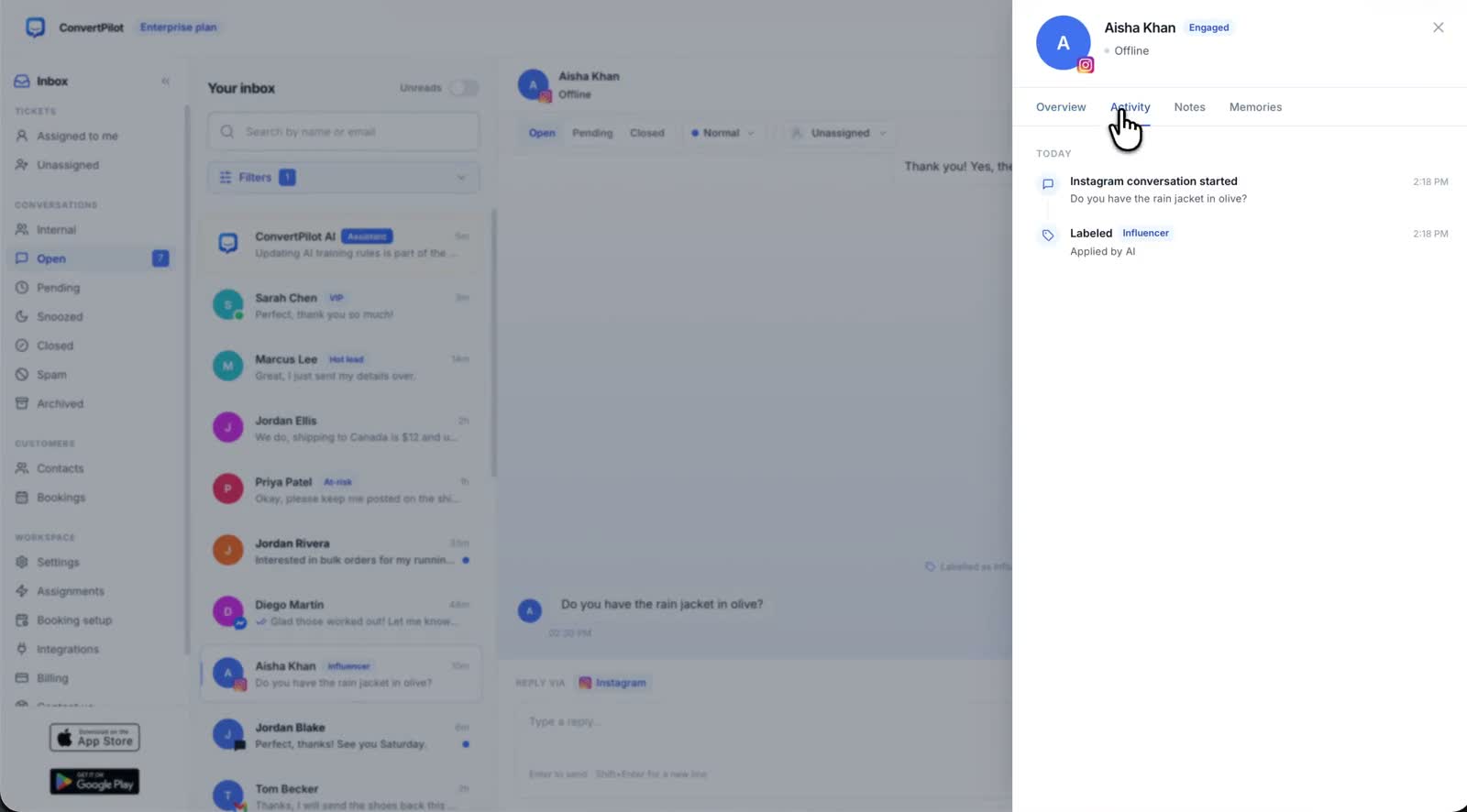
An affordable AI chatbot for your website, WhatsApp and Instagram should answer from the same business information wherever a customer writes. It should also leave the conversation in one inbox when your team joins. ConvertPilot lets a small business begin with Website live chat and email on Free, then add WhatsApp Business and Instagram on Premium. Train the answers once, connect the channels you actually use and test the customer journey from each one.
Affordability is about the work the tool removes from your day. If a visitor asks about a product on your site, then sends a DM later, your team needs context, an accurate answer and a clear owner. A low subscription price alone does not create that workflow. Start with the most common question in your inbox and make sure the agent can answer it from a current page, product or rule.
What does an affordable AI chatbot for website, WhatsApp and Instagram include?
For website chat, you need a visible widget, a greeting and an answer that reflects the page the visitor is reading. For WhatsApp and Instagram, you need the business accounts connected and a teammate who can take over a conversation in the same channel. Across all three, you need an inbox that shows the person, the message history and what the AI used to answer. These basics are more useful than a long menu of automation recipes.
| Channel | First useful question | ConvertPilot setup |
|---|---|---|
| Website live chat | Is this item available in my size? | Install the widget on Shopify, Wix or a custom site; check the product answer |
| WhatsApp Business | Can you help with my order? | Connect the business account in Settings, Channels; check the recorded order state |
| Instagram DMs | Which product fits what I need? | Connect the Instagram account linked to a Facebook page; test a product card and handoff |
The ConvertPilot channels page shows what is available and how each connection starts. Website live chat is added by a script tag on a custom site, or through the Shopify or Wix app. WhatsApp Business uses embedded sign-up in Settings, Channels. Instagram connects through the account linked to your Facebook page. The same inbox receives the resulting conversations.
How do you keep the AI answer useful on every channel?
Give the agent facts it can check. For a store, begin with product descriptions, availability, shipping and returns pages, plus the recent orders supplied by the Shopify or Wix connection. For a service business, add services, booking rules and the answers your team repeats. ConvertPilot’s Training lets you add exact answers, facts and custom instructions. Its Why this reply view shows what informed each answer so you can improve the source when it needs updating.
A simple first set has three questions. Ask about a product or service, ask about an order or booking, and ask for a person. Run the same set on your site, WhatsApp and Instagram. You will see whether the facts travel across channels and whether a teammate can read the earlier messages. The Training guide explains how to write the first facts and rules.
Product cards are especially useful in Instagram conversations. A shopper can ask for a recommendation and see an item with its image, price and Shop Now link. A Shopify or Wix store can connect the catalogue so the answer uses current product information. The Instagram DM guide shows how to organise common product enquiries and a handoff from the channel.
Which ConvertPilot plan covers the channels you want?
Start on Free if your first job is answering visitors on your own website. The plan includes Website live chat and email, Training, a shared inbox and five team seats for the first 50 customer messages. Plus is listed at $8.99 per month and includes 250 AI replies per 30 days. Premium is listed at $17.99 per month, with 1,000 AI replies per 30 days and WhatsApp Business, Instagram, Messenger and Telegram. The current pricing page holds the full allowances.
If customers already send DMs every day, plan for Premium from the start so your team can manage the channels together. If website chat is the new channel, test it on Free before expanding. Keep a note of the questions the AI answered and the ones a person handled. That gives you a practical way to decide when the extra channels and reply allowance earn their place.
How do you launch without losing the human touch?
- Install website chat. Add the widget on a page customers visit and check it on a phone.
- Train three answers. Use current product, policy or service information and a rule for when a person joins.
- Connect WhatsApp Business. Complete the channel setup and send a test message from a number you control.
- Connect Instagram. Use the business account linked to your Facebook page and send a test DM.
- Receive the handoff. Ask for a person, open the thread in the inbox and reply from the device your team uses.
ConvertPilot pauses the agent when a teammate joins. Online hours tell customers when staff are available, and the mobile apps give your team the inbox away from a desk. The mobile app page shows that path. Keep one person responsible for new conversations and let the AI handle the repeat questions it can source. Customers get a consistent answer and your team can give its time to the questions that need a person.
What should you measure after the first week?
Read a small sample of website chats, WhatsApp messages and Instagram DMs. Which questions came up more than once? Which answers used the right source? Did a teammate receive each request for a person? On Premium, ConvertPilot’s analytics show conversations, resolution, response times, daily activity, countries, languages, devices and sentiment. Use the inbox first, then the dashboard to spot patterns worth fixing.
Add a better product description, a clearer shipping page or one exact Training answer when a question repeats. Keep the same three test questions for your next channel or policy change. An affordable chatbot earns its keep when customers get a useful answer and your team can see the next action without searching across apps. Start with the website, then add WhatsApp and Instagram where your buyers already talk to you.